
If you already use Aidenn (powered by Help me Fix), you need to update your Co-pilot rules when you start using Fixflo AI reporting.
With AI reporting, Aidenn triages the problem before the issue is created, rather than after. This means:
- the rule that sends reported issues to Aidenn is no longer needed
- if you use Novex for emergencies, your Novex rule needs one filter removing so it picks up issues created through AI reporting
Step 1: Disable the Aidenn rule
- Select Co-pilot from the left-hand menu.
- Find the rule Assign issues reported to Help me Fix - Aidenn and switch off its Enabled toggle.
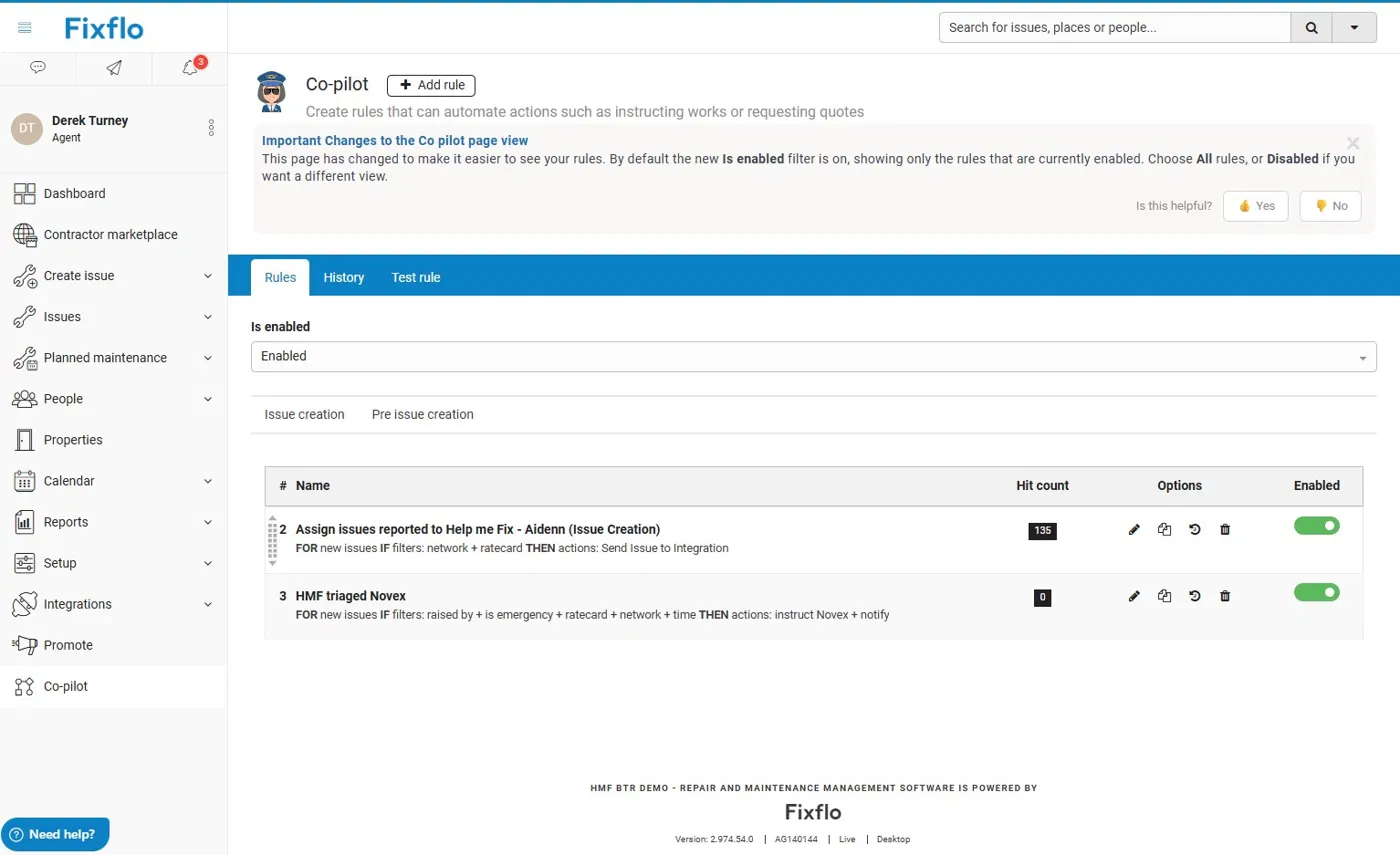
Once disabled, the rule no longer appears in the list while the Is enabled filter is set to Enabled. To see it again, set the filter to All or Disabled.
Step 2: Update your Novex rule (if you use Novex)
Only follow this step if you use Novex to escalate emergency issues following a Help me Fix triage.
Your Novex rule currently uses a Raised by filter, so it only picks up issues raised by Help me Fix. Issues created through AI reporting are raised by System user instead, so this filter needs to be removed.
- On the Co-pilot page, click your Novex rule to edit it.
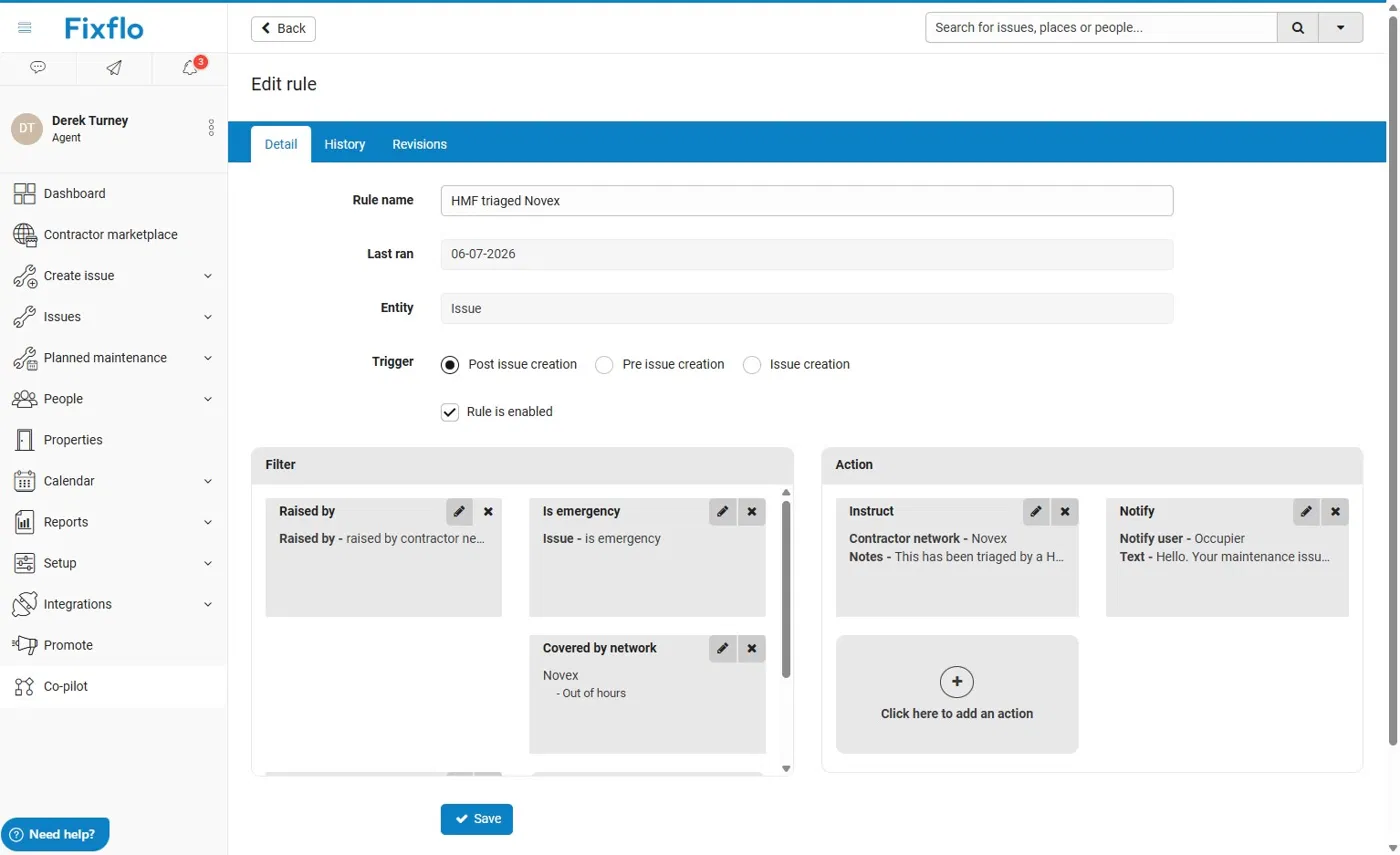
- Remove the Raised by filter by selecting the X on it.
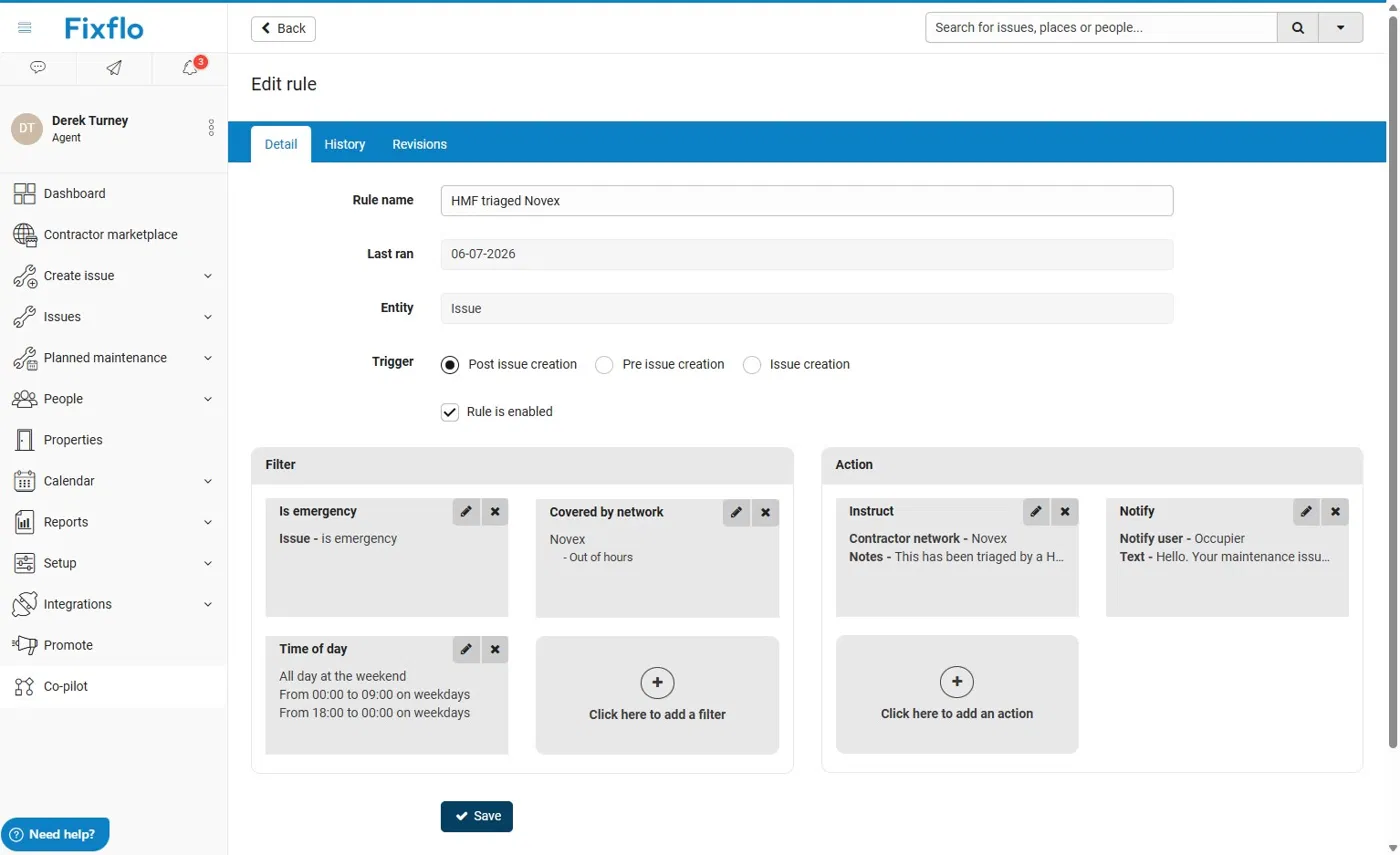
- Select Save to save the update.
Please note: without the Raised by filter, the Novex rule will apply to every new issue that matches its remaining filters, such as "Is emergency", "Covered by network" and "Time of day", however it was reported. Check these filters are set as you expect.
Related articles
Was this article helpful?
That’s Great!
Thank you for your feedback
Sorry! We couldn't be helpful
Thank you for your feedback
Feedback sent
We appreciate your effort and will try to fix the article