
You can choose which screen your tenants see first when they report a repair: the standard picture-based reporting, or straight into Fixflo AI reporting.
Default reporting option | What tenants see |
AI reporting | The AI reporting page, where they enter their details and chat with Aidenn. They can switch to standard reporting at any time. |
Standard picture tiles | The picture-based reporting page, with a "Try AI reporting" banner at the top. |
How to set your default reporting option
- Select Setup.
- Select Settings.
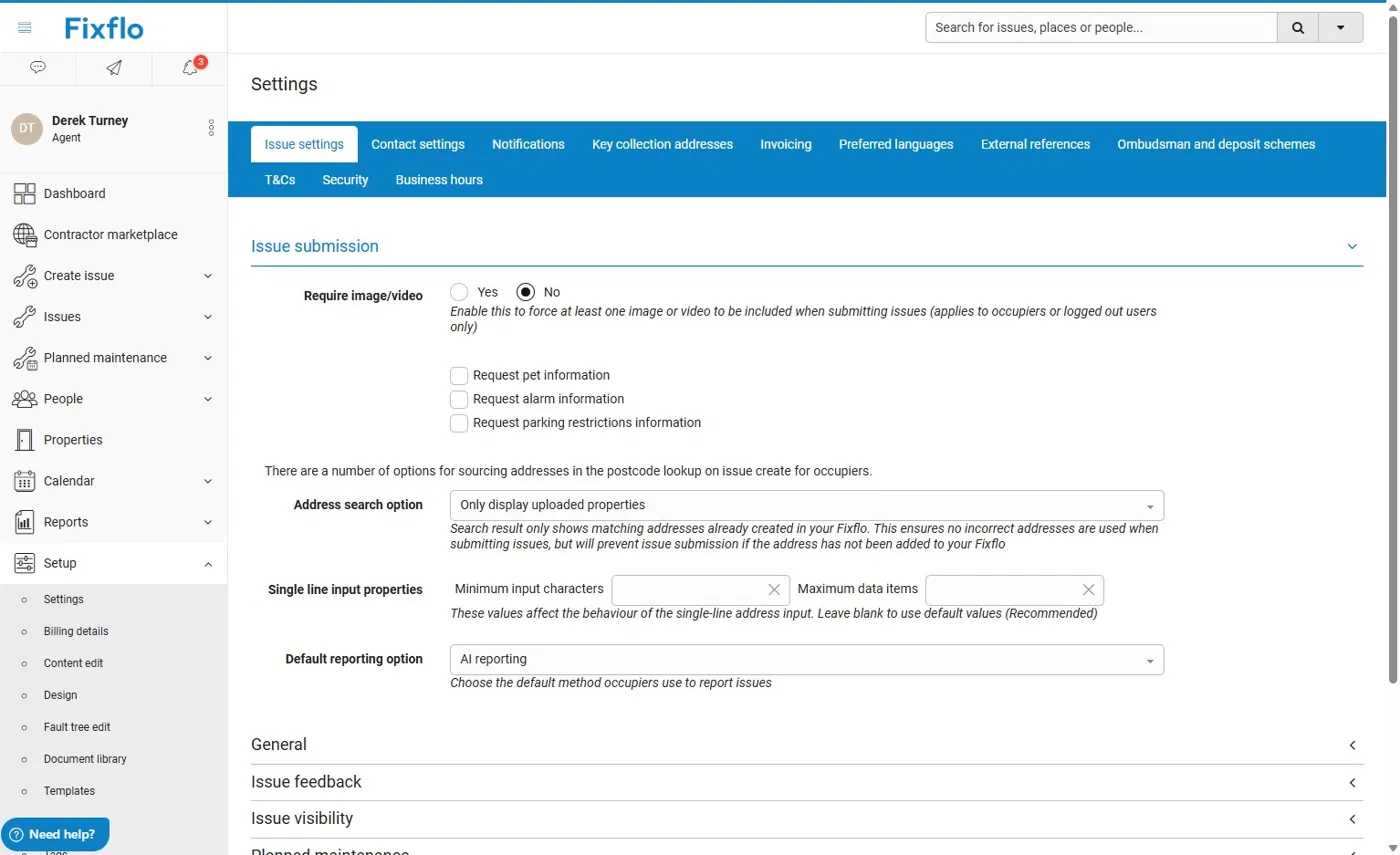
- On the Issue settings tab, under Issue submission, find Default reporting option. Choose AI reporting or Standard picture tiles from the drop-down menu.
Are you an existing Aidenn client?
AI reporting changes how Aidenn works with Fixflo, so you also need to update your Co-pilot rules. Go to
Fixflo AI reporting - Updating Co-pilot if you're an existing Aidenn client.
Related articles
Was this article helpful?
That’s Great!
Thank you for your feedback
Sorry! We couldn't be helpful
Thank you for your feedback
Feedback sent
We appreciate your effort and will try to fix the article