

We have the functionality to set Agent Out of Office to ensure business continuity when team members are unavailable. When an agent is out of office, selected colleagues will automatically receive notifications for comments and new issues assigned to them to ensure nothing gets missed and SLAs stay protected.
How to set up Out of office?
Go to People > Agents > select agent > Out of office tab.
- Enter the First day - The start date of unavailability
- Last day - The final day (inclusive)
Select an agent(s) to be notified when new issues and comments are received. Up to 10 cover agents can be added into this section.
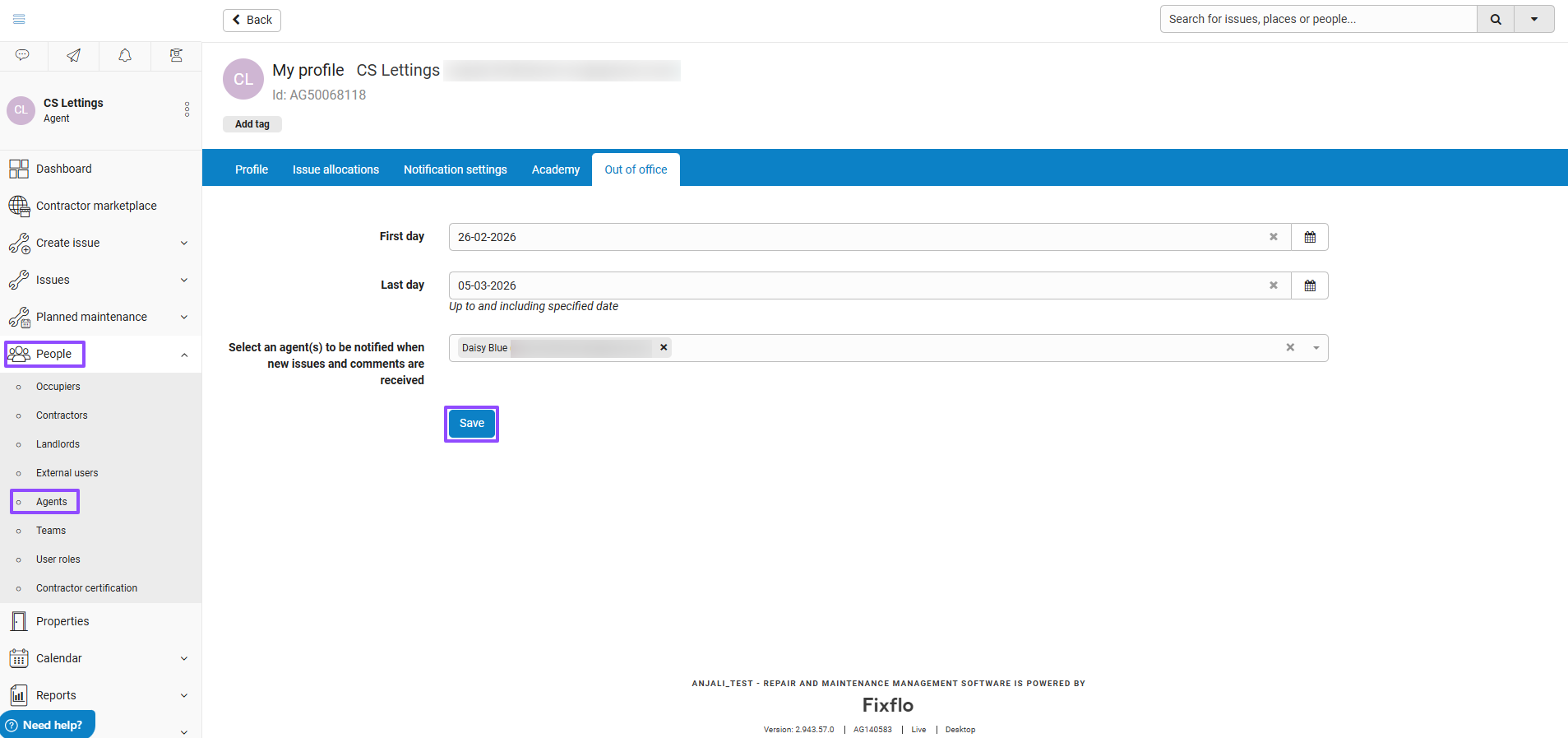
You can set this up on behalf of your colleagues if you are an admin user, or alternatively agents can set this on their own profile.
What notifications are sent?
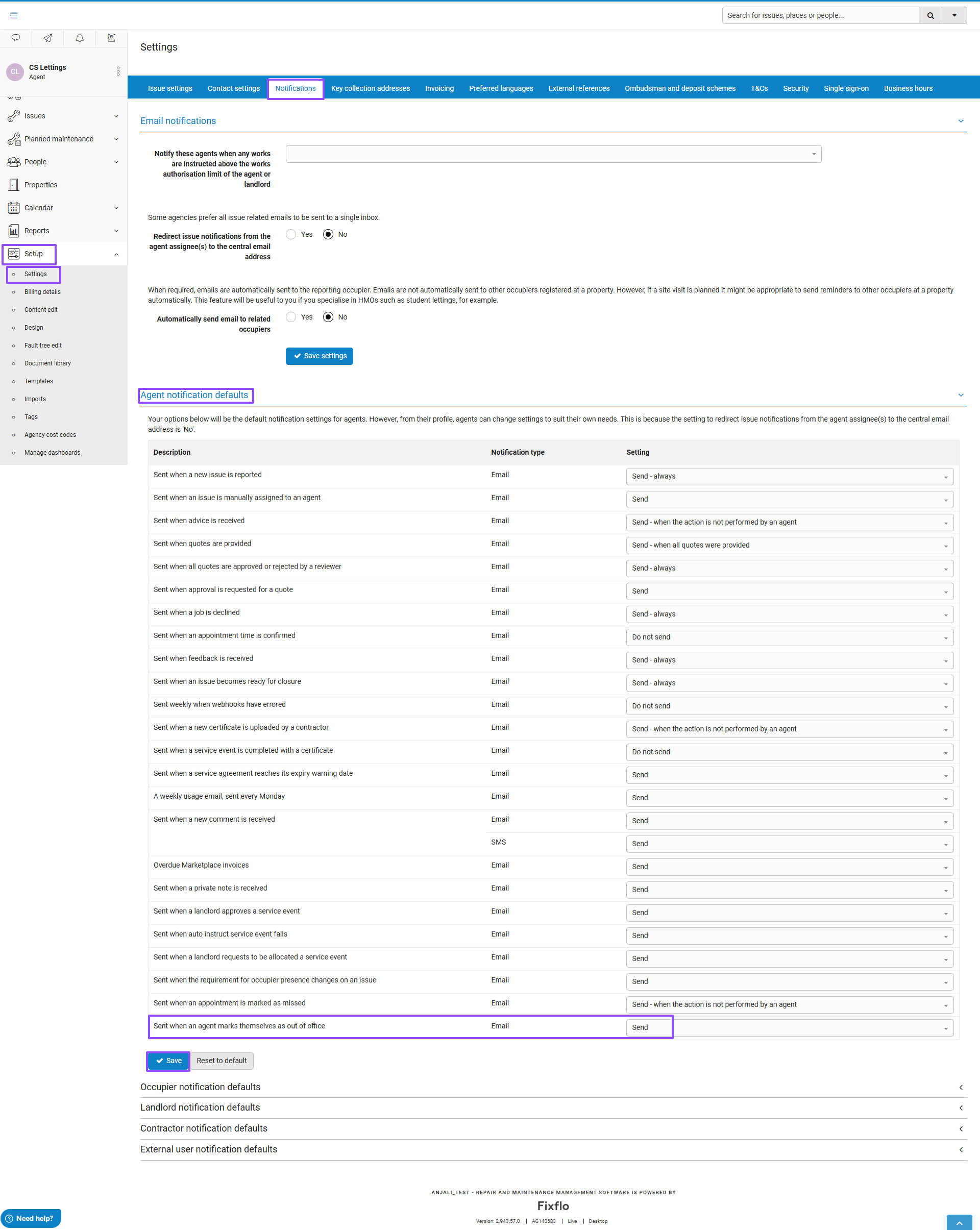
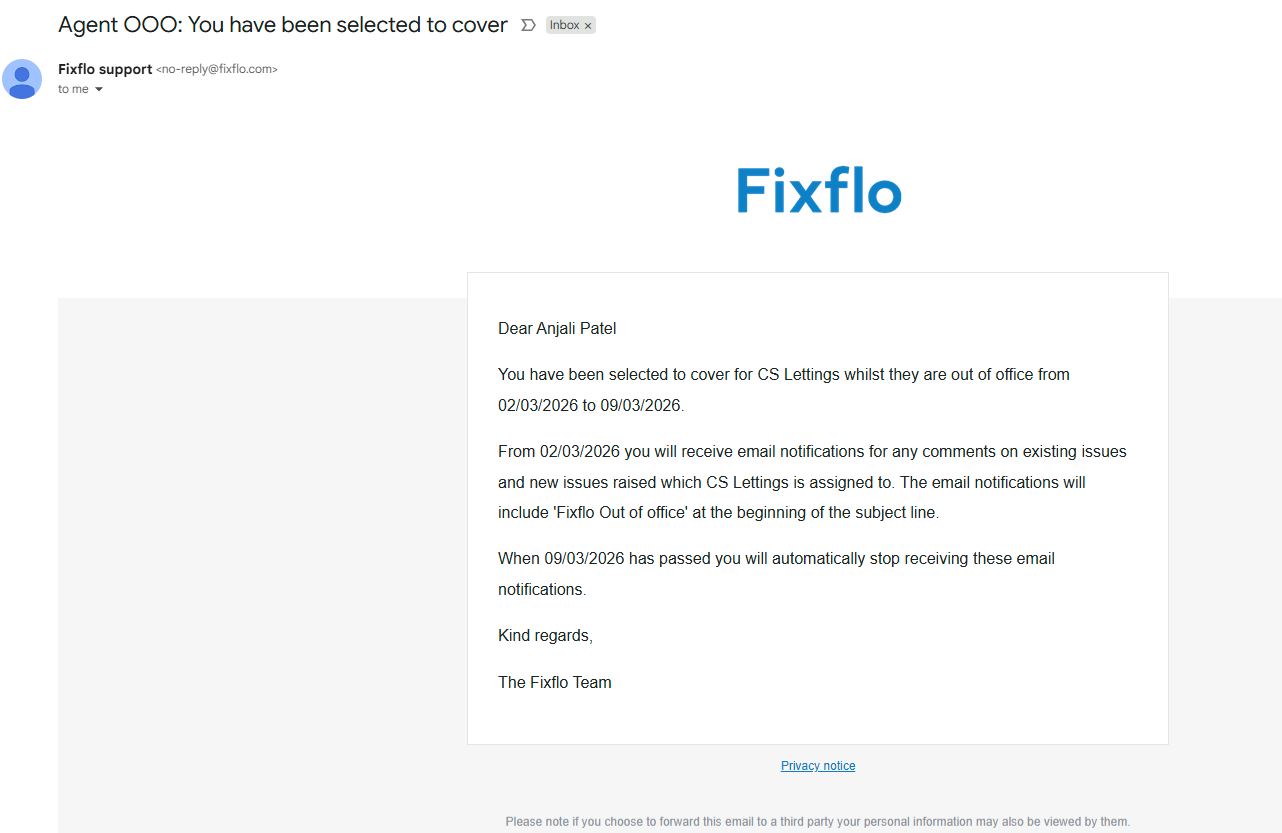
Once the settings have been saved, the selected agents will receive an automated confirmation email notifying them that they have been selected to provide cover. A reminder is also sent on the first day of the Out of office period. This notification setting can be reviewed in the agent notification settings.
What happens during the Out of office period?
- If a new issue is reported and assigned to the unavailable agent, the system will notify the selected cover agent(s).
- Any new comments added to an issue assigned to the unavailable agent, the cover agent(s) will receive a notification.
The email subject is prefixed with Fixflo Out of office. All related emails will be visible within the issue audit tab, providing full transparency and traceability.
After the last day of out of office, the notification to cover agents will stop automatically within the system, and no further action will need to be taken.
Why is this beneficial?
- No permanent reassignment of issues when your colleagues are unavailable or on annual leave / on leave, or out of the office
- Teams aligned
- SLA's are protected
- Coverage is automatic
To get the most from this feature, we recommend agents set their out of office status ahead of any planned leave and select at least one colleague covering similar properties. Agents should review their settings before their time off and make any necessary amendments.
Was this article helpful?
That’s Great!
Thank you for your feedback
Sorry! We couldn't be helpful
Thank you for your feedback
Feedback sent
We appreciate your effort and will try to fix the article