

Please note this is is only available for users that use the contractor marketplace. Please contact the support team if you wish to learn more.
Managing bank holidays and other office closures is now easier. We’ve introduced new tools that simplify how your Fixflo co-pilot can help you manage out-of-hours coverage. For our customers using Help Me Fix or Novex, we have added a new co-pilot rule for you.
What’s changed?
Previously, bank holiday coverage required creating Co-pilot rules with reference to the specific dates. We’ve now introduced a more flexible, future-proofed system that removes the need for date-specific rules.
Fixflo will now automatically include the upcoming UK bank holidays. For those using our out-of-hours services, such as Help Me Fix or Novex, an updated Co-Pilot rule will be applied, enabling out-of-hours coverage on those dates.
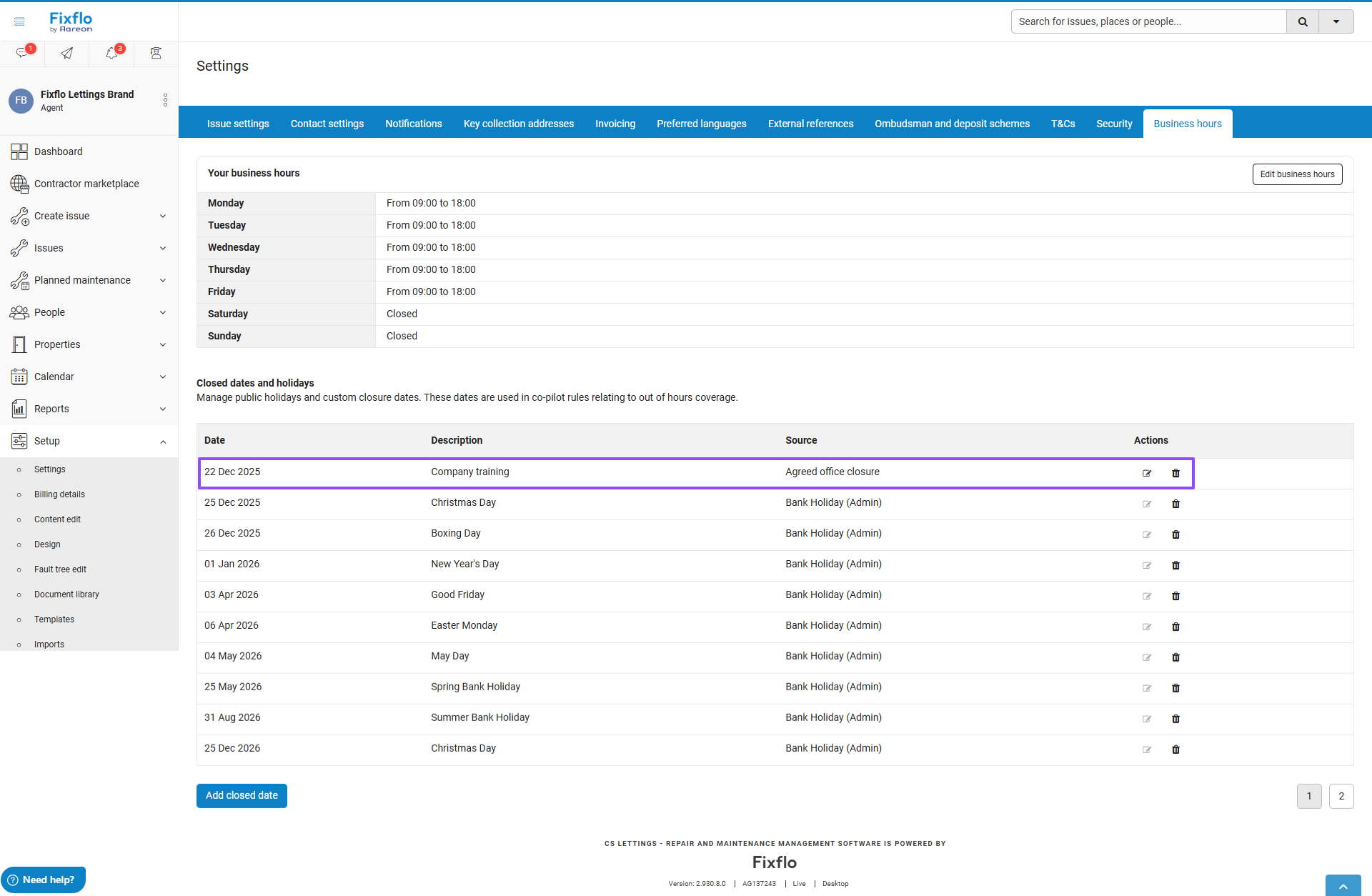
All users can view these in the Business Hours setup page within Fixflo. You can find this by going to Set up > Settings > Business hours.
You can use the new filter available in Co-pilot to set rules around dates on which your business is closed. You can delete any you will not observe, and you can add in any additional custom dates on which you will be closed for any other reason, such as employee or cultural events.
How does this affect me?
The bank holidays and closed dates only have effect if you use our Co-Pilot feature, and a filter that references this setting. If you do not use Co-pilot at all, these dates have no effect for you.
Where do I see this?
You can find this setting by going to the Fixflo navigation bar to the left of your screen > Set up > Settings > Business hours.
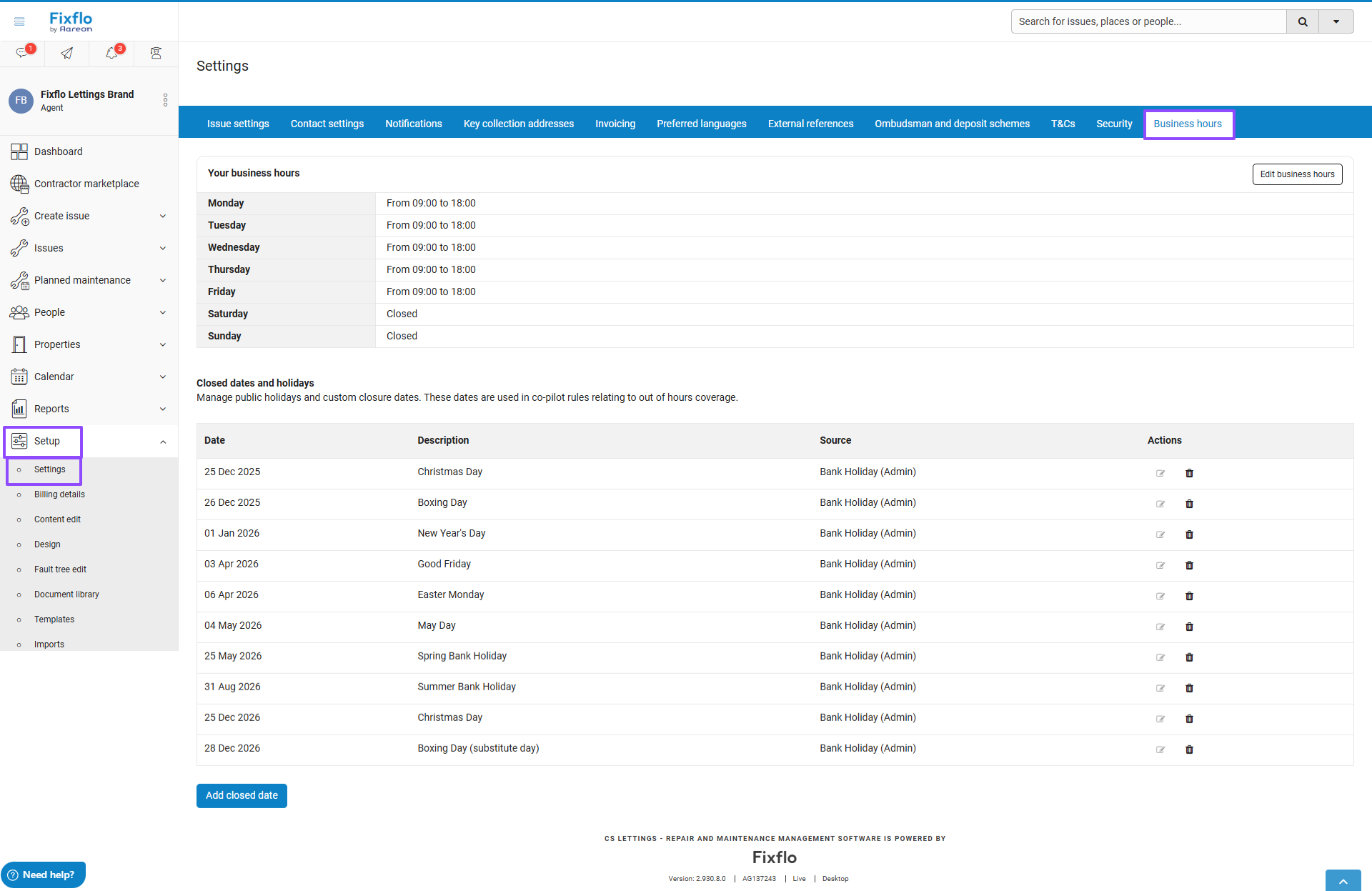
How to add a closed date
Click “Add closed date”
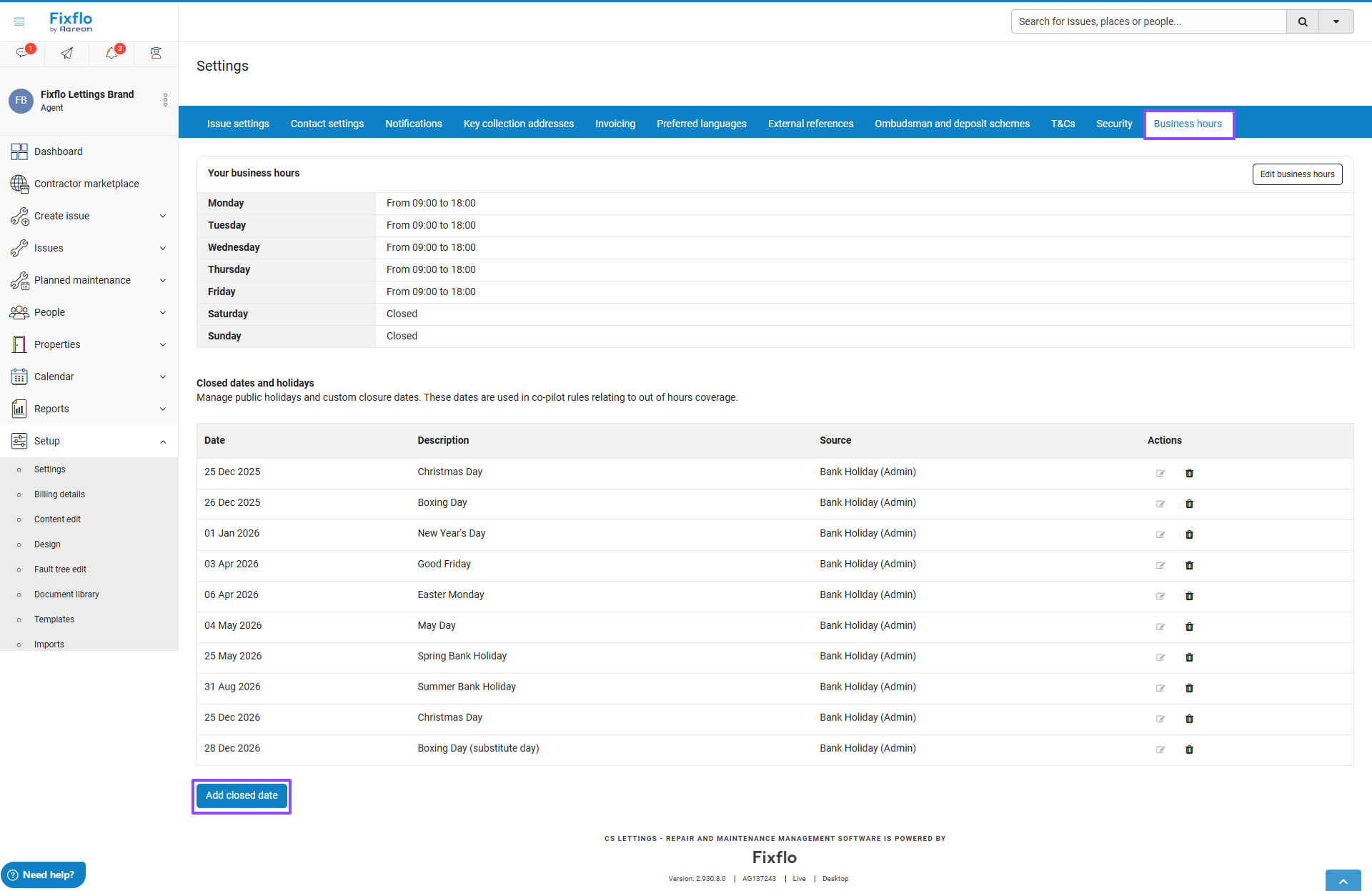
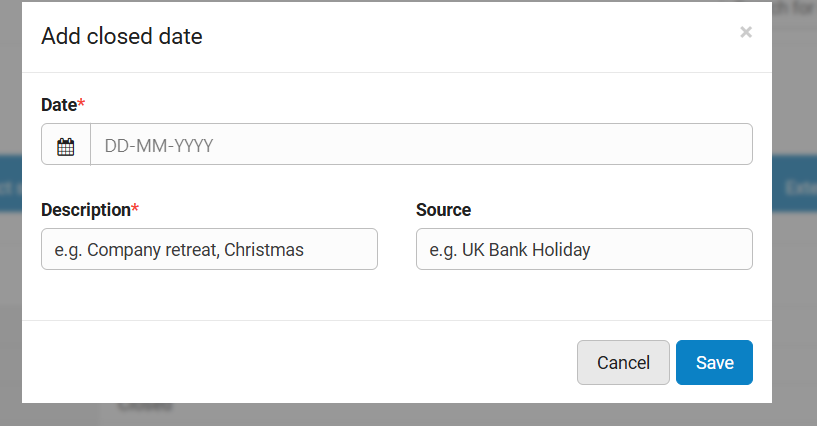
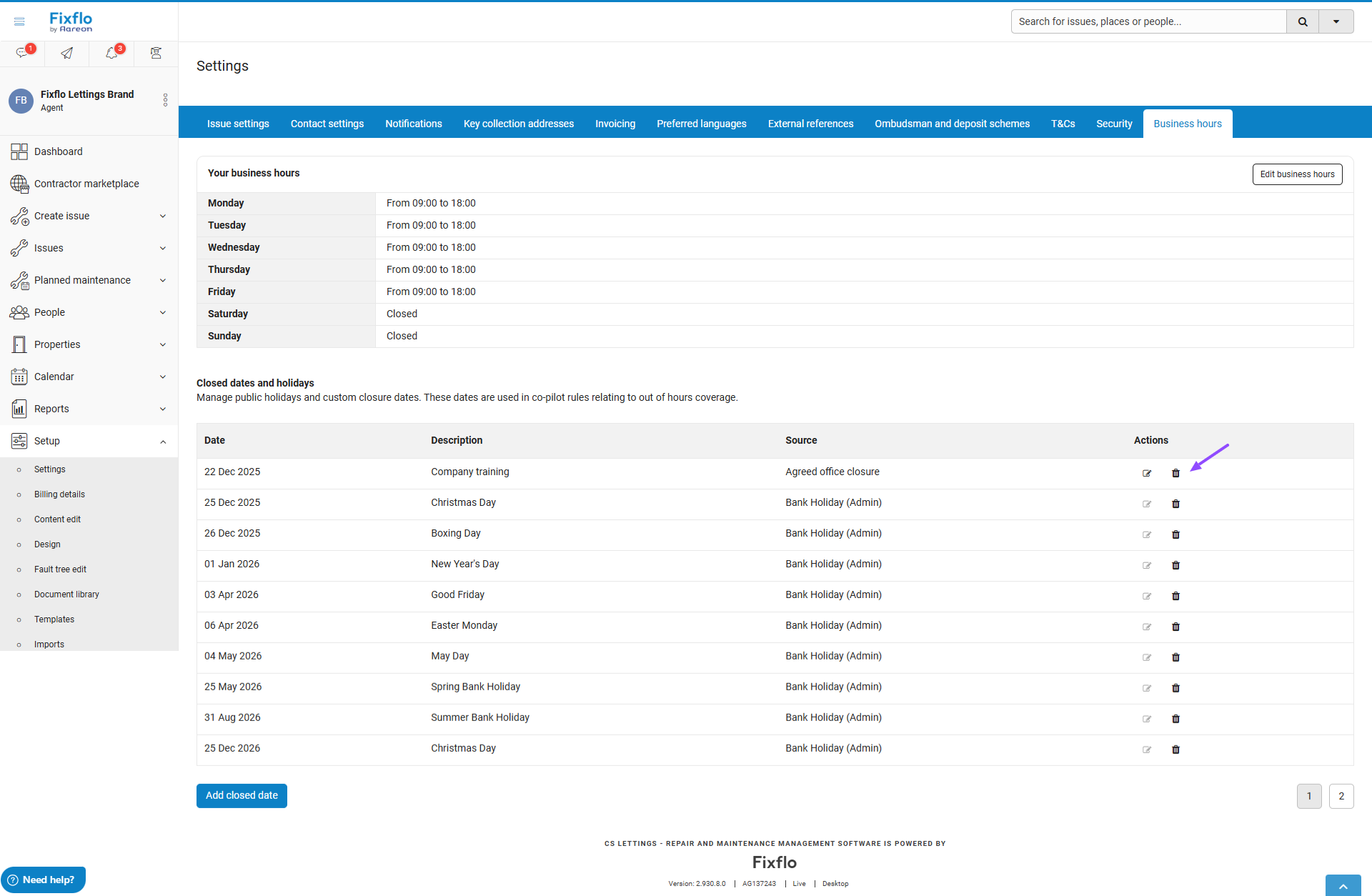
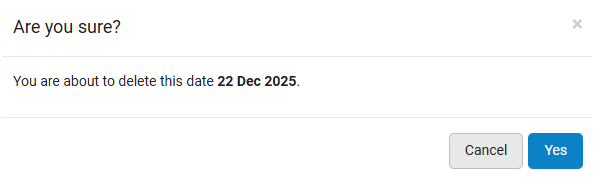
How to remove a Bank Holiday or Closed date
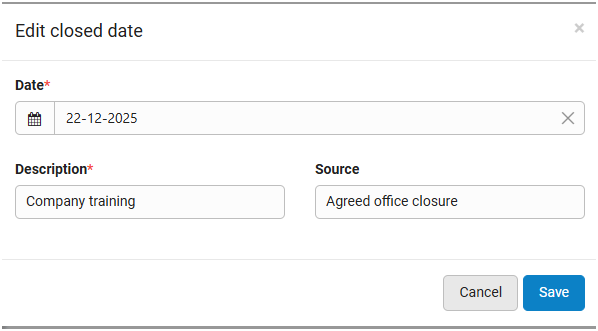
You can delete a Bank holiday or Closed date using the delete icon. Please note you can not edit the bank holiday dates that have been added into the system; for your own custom closed dates, you can edit these.
How to use bank holidays and closed dates in Co-Pilot
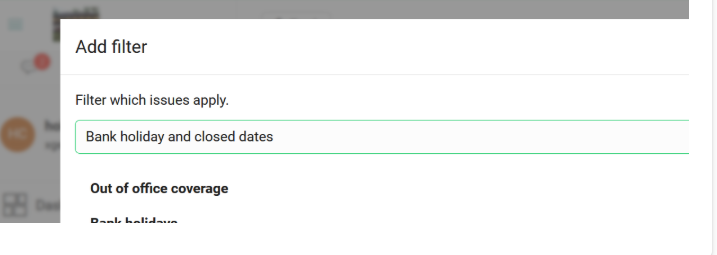
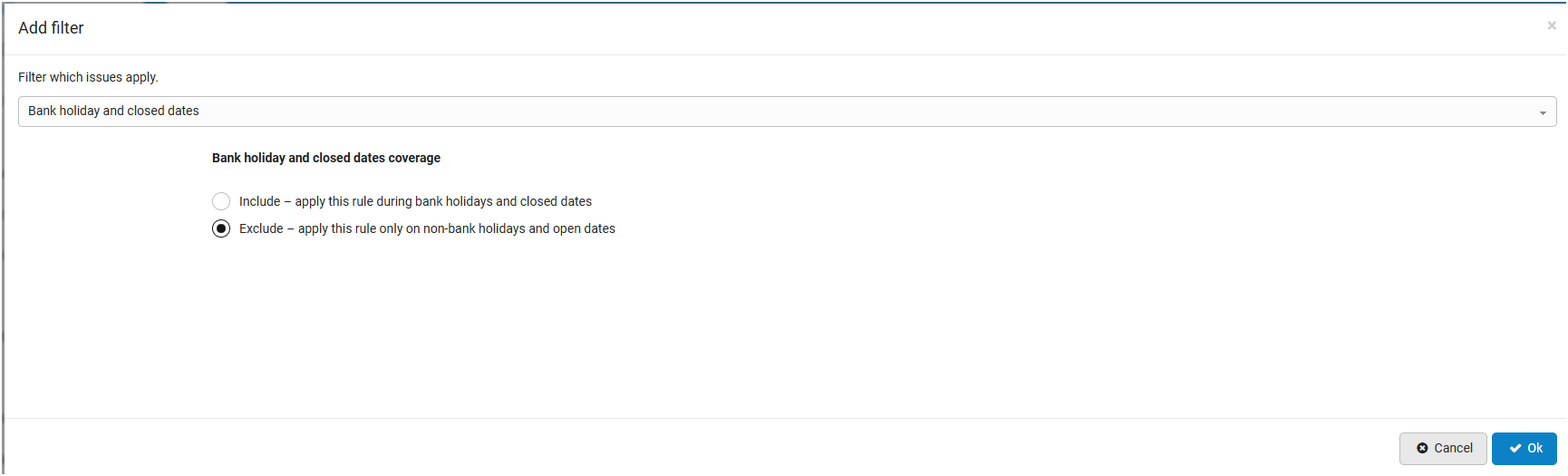
If you are already confident in creating and editing Co-Pilot rules, you can use this new filter called Bank Holiday and closed dates. If this is new to you, we strongly suggest you follow the Fixflo Academy Course on using Co-Pilot before you use this feature.
This filter will pick up the Bank holidays and closed dates for your Agency.
There is a new rule available in the drop-down Add filter list, which is called Bank holiday and closed dates.
Was this article helpful?
That’s Great!
Thank you for your feedback
Sorry! We couldn't be helpful
Thank you for your feedback
Feedback sent
We appreciate your effort and will try to fix the article